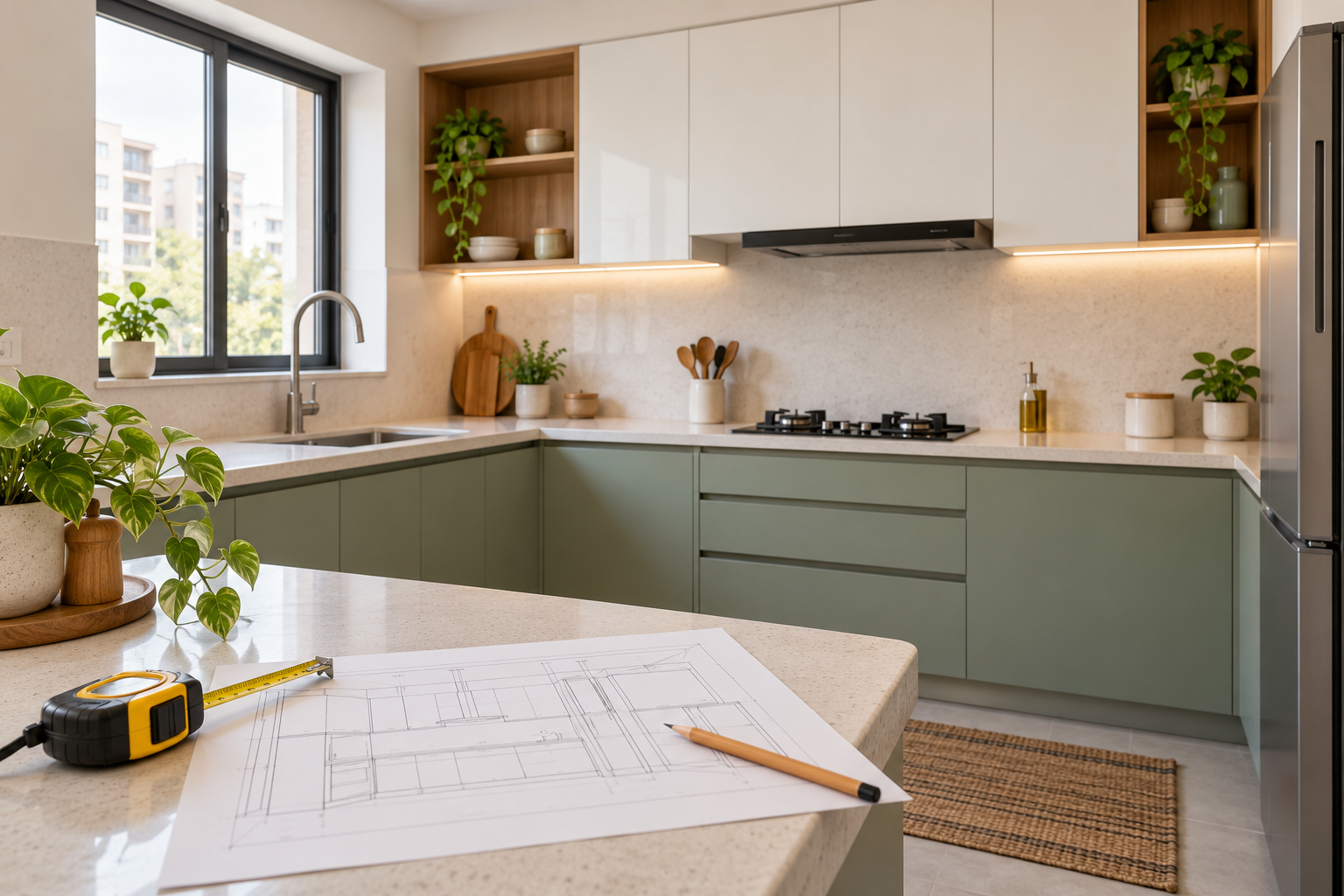
Modular Kitchen Design in 3D: Layout and Planning Guide
A kitchen can look attractive in a catalogue and still be awkward to use in your apartment. The refrigerator may interrupt a walkway, a drawer may clash with another cabinet, or the countertop may leave too little preparation space.
Modular kitchen design in 3D helps you visualise the proposed layout, cabinets, appliances and finishes before ordering. It gives you a clearer picture of how different elements work together.
To move from appearance to execution, review the visual alongside measurements, appliance requirements and cabinet drawings.
This guide explains what to plan, what to share with your designer and what to check before approving your kitchen.
What Is a 3D Modular Kitchen Design?
A 3D modular kitchen design is a digital representation of a proposed kitchen, shown from one or more viewpoints.
It can illustrate base cabinets, wall units, tall storage, countertops, appliances, lighting and finishes. It helps you assess the overall arrangement before committing to fabrication.
Different documents answer different questions.
| Deliverable | What it helps you review |
|---|---|
| Kitchen layout | Positions of cabinets, appliances and work areas |
| 3D view | Appearance, proportions and finish combinations |
| Cabinet elevations | Heights, widths and arrangement along each wall |
| Internal cabinet drawings | Shelves, drawers, accessories and storage divisions |
| Service drawings | Proposed electrical, plumbing and other relevant points |
| Specifications and quotation | Materials, hardware, quantities and prices |
Confirm which documents your selected design service supplies.
What Information Do You Need Before Designing a Kitchen in 3D?
Start with a measured plan and clear photographs of the existing space.
Include doors, windows, beams, columns and any wall projections. Mark existing water, drainage, electrical and exhaust locations.
Your brief should also explain:
- How many people cook and use the kitchen.
- Whether you need space for simultaneous cooking.
- The appliances you own or intend to buy.
- The utensils, groceries and equipment requiring storage.
- Elements you want to retain.
- Your budget for cabinets, appliances and site work.
- Preferred finishes and reference images.
If appliance models are undecided, identify them as provisional. Final cabinet details should account for the selected products’ installation requirements.
How to Plan Your Modular Kitchen Design in 3D
1. Choose a Layout That Suits the Actual Room
Start with the available walls, openings and movement routes.
| Layout | What to review |
|---|---|
| Straight kitchen | Distribution of storage, appliances and usable counter space |
| L-shaped kitchen | Corner access and the relationship between adjoining runs |
| Parallel kitchen | Working space between runs and conflicts between open doors |
| U-shaped kitchen | Corner storage, access and the room remaining inside the layout |
| Kitchen with an island | Circulation, seating and any services required at the island |
A layout should earn its place through fit and function. An island shown in a reference image may not suit your kitchen’s dimensions.
2. Map Everyday Activities
Think through how you cook.
Where do groceries arrive? Where will you wash vegetables, prepare ingredients and place hot dishes? Which utensils need to be close to the cooking area?
Use these activities to test the arrangement. Avoid relying only on whether the sink, refrigerator and cooking area form a particular shape.
The layout should support your household’s actual routine.
3. Confirm Appliance Positions and Requirements
Include the refrigerator, hob or cooker, chimney, microwave, oven and dishwasher where relevant.
Check the selected manufacturer’s requirements for installation, ventilation, access and servicing. Leave these decisions visible in the design brief.
Review appliance doors in their open positions. A refrigerator or dishwasher may fit when closed but obstruct a passage or adjacent unit during use.
4. Plan Cabinet Interiors
A 3D image of closed shutters cannot tell you whether the storage works.
List what each cabinet should hold, then decide on shelves, drawers or selected accessories.
For example, frequently used cookware needs convenient access, while occasional serving dishes may suit a different location.
Ask for internal details showing drawer quantities, shelf arrangements and accessory sizes before approving fabrication.
5. Coordinate Countertops and Finishes
Use the 3D view to compare cabinet colours, countertop patterns, backsplash finishes and handles.
Check the combination across the whole kitchen. A sample that looks subtle on its own may become visually dominant when repeated across every shutter.
Review physical samples before ordering. Rendered lighting and screens can change the appearance of colours and textures.
6. Plan Lighting and Services
Identify where you need light for preparation, cooking and cleaning.
Review general lighting and any proposed task lighting together with wall cabinets and work surfaces. Confirm access to controls and components that may need maintenance.
Have the relevant professionals check service changes and installation details before execution.
What Should You Check in the 3D Kitchen View?
Review the design in a practical sequence.
Structure and Openings
Doors, windows, beams and columns should match the actual kitchen. Any proposed alteration needs to be clearly identified and assessed before proceeding.
Cabinet and Appliance Access
Check whether drawers, shutters and appliance doors can operate without conflicts. Pay attention to corners and handles near adjoining units.
Work Surface
Look for usable preparation and placement areas. Appliances sitting on the countertop also need to be included in this review.
Storage Reach
Consider who will use the kitchen. Tall cabinets and overhead units should be planned around accessible everyday storage.
Maintenance Access
Identify how plumbing connections, filters, appliance services and electrical components can be reached when required.
A visually tidy design should still allow necessary access.
How Can 3D Design Help with a Small Modular Kitchen?
In a small kitchen, every cabinet should serve a clear purpose.
Use the layout to resolve dimensions and the visual to assess how the proposed units affect the space.
Consider whether you need a tall unit, how much countertop equipment you use and whether open shelves would suit your cleaning routine.
Avoid adding accessories simply because they appear to save space. Check their usable capacity, operating requirements and price.
A wide-angle render can make a compact kitchen appear larger. Verify fit through dimensions and installation requirements rather than judging from the image alone.
How Do You Connect the Design to Your Kitchen Budget?
Separate the costs before comparing proposals.
| Budget category | What to include |
|---|---|
| Cabinet construction | Base, wall and tall units |
| Shutters and finishes | Selected materials and surface treatments |
| Hardware | Hinges, drawer systems, handles and accessories |
| Countertop and backsplash | Material, fabrication and installation scope |
| Sink and tap | Products, fittings and installation |
| Appliances | Selected models and required accessories |
| Site work | Removal, repairs and service changes |
| Logistics | Delivery, assembly and waste removal |
| Design services | Agreed visuals, layouts and drawings |
When the design exceeds your budget, price changes individually. You might simplify a finish, remove an unnecessary unit or reduce specialised accessories.
Keep essential function and installation requirements clear throughout those decisions.
How Much Does a 3D Kitchen Design Cost?
The fee depends on the views, revisions, designer involvement and supporting documents included.
For a published example, Houspire advertises ₹499 + GST for one 3D view of a selected room, covering up to three walls, with Budget Direction and Vendor Direction included. Additional drawings are separately priced.
Construction, installation and on-site supervision are excluded. Confirm the selected scope if you need cabinet elevations, internal details or service drawings alongside a kitchen visual.
The design fee is separate from the amount required to supply and install the kitchen.
Can a Modular Kitchen Vendor Work from a 3D Image?
A vendor can use the image to understand your intended appearance, but production requires more information.
Before ordering, agree on:
- Verified site dimensions.
- Cabinet sizes and internal arrangements.
- Appliance models and installation requirements.
- Materials, finishes and hardware.
- Countertop and sink details.
- Relevant service positions.
- The complete supply and installation scope.
Ask the vendor to explain any difference between its production drawings and your approved concept.
Final Thoughts
Modular kitchen design in 3D helps you review your kitchen before committing to cabinets and appliances.
Start with the actual room, plan around daily activities and check how storage and appliances operate. Then connect the approved visual to detailed drawings, specifications and an itemised quotation.
Explore Houspire’s design plans to visualise your kitchen before placing execution orders.
Frequently Asked Questions
Can I get a 3D modular kitchen design from photographs?
Photographs can support initial visualisation. Measurements, a floor plan and details of existing services help define the space more accurately.
Should I choose appliances before finalising the kitchen?
Select the models before approving the cabinet details that depend on them. Different products can have different dimensions, ventilation and installation requirements.
Does a 3D kitchen design show cabinet interiors?
Not automatically. A view with closed shutters shows the exterior. Request internal drawings or schedules for shelves, drawers and accessories.
Can I redesign my kitchen without moving plumbing?
You can ask for a proposal that retains existing service locations. Whether it meets your requirements depends on the space, existing condition and intended appliances.
Is one 3D view enough for a kitchen?
It may communicate the main appearance, but additional angles can help show hidden cabinet runs or tall units. Confirm which parts of the kitchen each view covers.
Can I order cabinets directly from a render?
Use the render as a visual reference. Approve measured production drawings, specifications and appliance requirements before fabrication, with final dimensions verified on site.