Bedroom Interior Design in 3D: Layout and Planning Guide
A bed looks right in a showroom. A wardrobe finish looks attractive in a sample. But will they work together in your bedroom, alongside the windows, doors and furniture you already own?
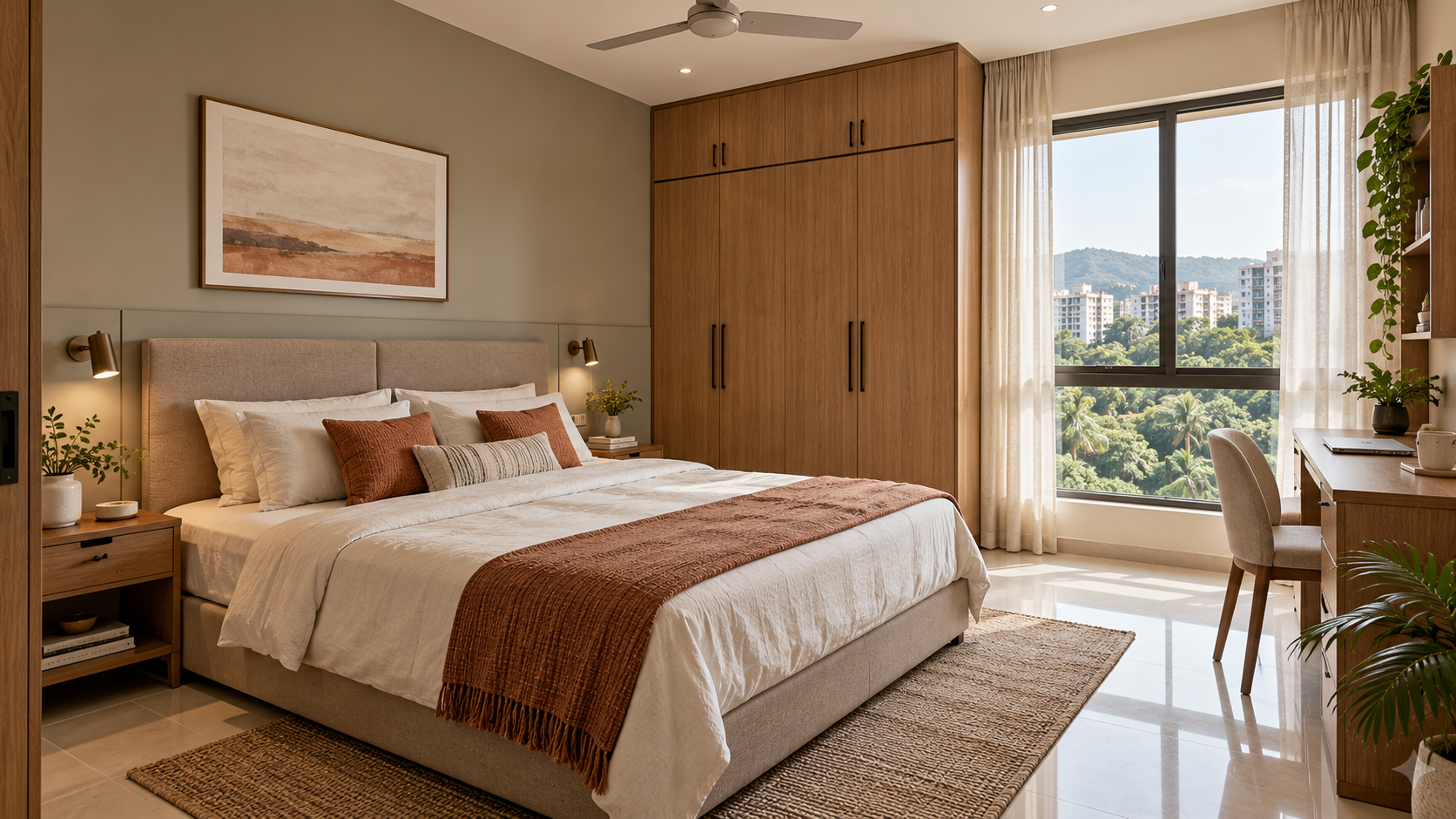
Bedroom interior design in 3D helps you visualise a proposed room before purchasing furniture or starting work. It shows how the bed, storage, lighting, colours and finishes could look together.
The most useful visual reflects your actual room and requirements. Review it alongside measurements and specifications so the approved appearance can guide practical decisions.
What Is a 3D Bedroom Design?
A 3D bedroom design is a digital representation of a proposed bedroom viewed from a selected angle.
It can illustrate furniture placement, wall treatments, flooring, curtains, lighting and decorative details. Depending on the service, it may be developed from a floor plan, room photographs, measurements or a combination of these inputs.
A realistic image does not automatically include everything needed for execution.
| Deliverable | What it helps you understand |
|---|---|
| Furniture layout | Where items sit and how the room is arranged |
| 3D bedroom view | How the proposed design looks |
| Material specification | Which finishes and products are intended |
| Wardrobe or furniture drawing | Dimensions, internal arrangements and construction details |
| Budget estimate | Expected spending for the defined scope |
Check which deliverables your selected service includes.
What Should You Share Before Getting a Bedroom Designed in 3D?
Provide enough information to describe both the room and the people using it.
Useful inputs include:
- A floor plan or sketch with room dimensions.
- Clear photographs of each wall.
- Door and window positions.
- Ceiling height and visible beams.
- Existing wardrobes, air-conditioning and electrical points.
- Dimensions of furniture you want to retain.
- Storage and daily-use requirements.
- A furnishing or renovation budget.
- Reference images with notes about what you like.
Tell the designer which features must stay. For example, retaining the flooring, wardrobe and window positions creates a different brief from replacing the room’s furniture and finishes.
How to Plan Your Bedroom Interior Design in 3D
1. Resolve the Bed Position First
The bed is usually the largest loose furniture item in the room. Its position affects wardrobe access, bedside surfaces, lighting and movement.
Use the actual bed-frame dimensions, including any projecting headboard or footboard. Mattress dimensions alone may underestimate the space required.
If the bed includes storage, check how that storage opens and whether nearby furniture obstructs it.
2. Plan the Wardrobe Around Your Belongings
A wardrobe’s appearance is only part of its design.
List what it needs to hold: hanging clothes, folded items, accessories, luggage and other belongings. Then review the proposed shelves, drawers and hanging sections.
In the layout, check access to shutters and drawers. In the 3D view, assess how the wardrobe’s height, colour and proportions affect the room.
Ask for separate internal details if they are needed for fabrication.
3. Add the Functions You Actually Need
Decide whether the bedroom also needs a desk, dressing area, reading chair or TV.
Each addition competes for space. A chair that looks appealing in a render may obstruct the wardrobe when used. A desk needs space for the chair to pull out.
Prioritise activities before adding furniture.
4. Coordinate Lighting with the Furniture
Review general lighting alongside bedside, reading and work requirements.
Check whether proposed lights relate sensibly to the bed, desk and wardrobe. Identify any electrical changes required to achieve the design.
If a ceiling fan is needed, include it in the brief and review its position together with the lights and ceiling treatment.
5. Choose Finishes as a Complete Combination
Use the visual to assess the bed upholstery, wardrobe finish, wall colour, curtains and flooring together.
Reference images are more useful when you explain the feature you want to borrow: a pale wood tone, a simple headboard or the softness of layered curtains.
Before purchasing, review physical samples where relevant. Screens and rendered lighting can affect how colours and textures appear.
6. Review the Design Against Your Budget
Identify which features need custom fabrication and which can be purchased ready-made.
A full-width headboard, fitted dressing unit or detailed ceiling may require work beyond the main furniture. Ask for those costs before approving the complete proposal.
If the design exceeds your budget, simplify specific features while preserving the layout and everyday function.
How Do You Use 3D Design for a Small Bedroom?
A small bedroom needs careful decisions about furniture size and access.
Start with a measured layout. Then use the 3D view to judge whether the combination feels visually crowded.
Consider:
- A bed frame without unnecessary projections.
- Bedside surfaces sized for actual use.
- Storage concentrated where it is accessible.
- A desk or dressing surface only where there is room to use it.
- Window treatments that operate without colliding with furniture.
Do not judge fit from the image alone. A wide-angle view can make a room appear more spacious than it will feel in use.
For an illustrative 10 × 12 ft bedroom, door and window positions may matter as much as the overall dimensions. There is no single bed-and-wardrobe arrangement that works for every room of that size.
What Bedroom Styles Can You Explore in 3D?
Use style as a starting direction, then adapt it to your room and budget.
| Style direction | Features you might explore |
|---|---|
| Modern minimalist | Simple furniture profiles, restrained colours and limited decoration |
| Warm contemporary | Wood finishes, upholstered elements and soft lighting |
| Japandi-inspired | Pale timber, quiet colours and practical furniture |
| Modern Indian | Contemporary furniture with selected craft, textile or traditional details |
| Modern vintage | Panelled details, character furniture and layered fabrics |
Compare styles using the same room layout and viewpoint where possible. This makes it easier to judge the finishes rather than being influenced by a different room shape or camera angle.
What Should You Check Before Approving a 3D Bedroom Design?
Review the room in two passes.
First, check the practical arrangement:
- Doors, windows and fixed features match the actual room.
- Furniture dimensions are confirmed.
- Wardrobes, drawers and bed storage can open.
- The desk and dressing area have usable space.
- Curtains and windows can operate.
- Electrical and lighting requirements are identified.
Then check the appearance:
- Colours and finishes work together.
- Furniture proportions suit the room.
- Decorative details reflect your preferences.
- The proposed items can be sourced or specified within budget.
Record requested changes clearly, referring to the relevant wall or item.
How Many 3D Views Does a Bedroom Need?
The number depends on the room’s arrangement and the decisions you need to review.
One view may communicate the bed wall and adjoining areas. Another may be useful for a wardrobe, TV wall or dressing area hidden behind the camera.
Ask which walls each view covers before ordering.
Additional angles show more of the room, but hidden storage arrangements and fabrication details may still need separate drawings.
How Much Does a 3D Bedroom Design Cost?
The fee depends on the number of views, designer involvement, revisions and supporting documents.
For a published example, Houspire advertises ₹499 + GST for one 3D view of a selected room, covering up to three walls. Budget Direction and Vendor Direction are included, while additional drawings are separately priced.
Construction, installation and on-site supervision are excluded. Confirm the selected scope if you need a dimensioned layout, wardrobe details or additional angles alongside your bedroom visual.
Keep the visualisation fee separate from the cost of furniture, finishes and execution.
Can a Carpenter Build from a 3D Bedroom Design?
A 3D view helps communicate the intended appearance, but custom furniture needs more information.
Before fabrication, agree on dimensions, materials, finishes, internal arrangements, hardware and installation details. Confirm who prepares the required drawings and verifies site measurements.
For example, a floating bedside drawer shown in a render still needs an agreed size, drawer mechanism and fixing method.
Use the visual as a shared reference throughout the process, with approved specifications supporting it.
Final Thoughts
Bedroom interior design in 3D helps you review your room before committing to purchases.
Start with accurate information, resolve the furniture layout and use the visual to assess finishes and proportions. Then confirm the measurements, specifications and costs needed to carry out the design.
Explore Houspire’s design plans to visualise your bedroom before ordering furniture.
Frequently Asked Questions
Can I get a 3D bedroom design from photographs?
Yes, photographs can support visual planning. Room measurements, a floor plan and details of fixed features help clarify information that photographs alone may not show.
Can I retain my existing wardrobe and bed?
Yes. Share photographs and actual dimensions, and state clearly that they must remain. The proposed design should account for their appearance, position and space requirements.
Is 3D bedroom design useful before possession?
It can help you explore layouts and finishes using the available floor plan. Verify the completed room’s dimensions and site conditions before ordering custom furniture.
Does a bedroom render include wardrobe interiors?
Not necessarily. A view showing closed shutters does not explain internal storage. Request the relevant internal layout or furniture drawings if needed.
Can I see different colour options?
Ask whether alternative finishes or revisions are included in the package. Keep the layout and camera angle consistent when comparing colour options.
Will the finished bedroom look exactly like the 3D image?
The result depends on the selected products, materials, lighting and workmanship. Review samples and specifications before ordering, and agree on substitutions when an exact item is unavailable.