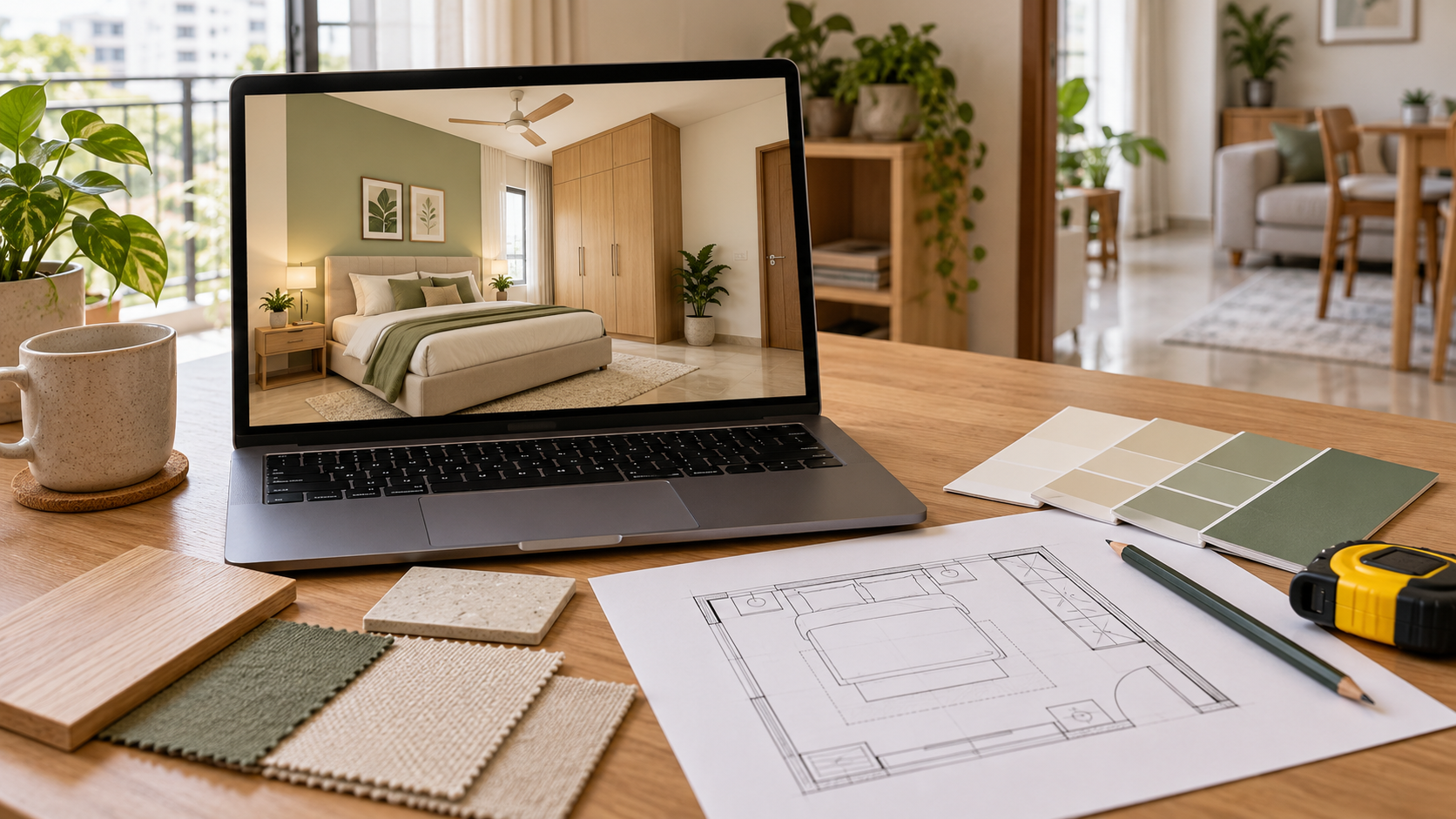
From AI Room Inspiration to a Usable Interior Design Brief
An AI-generated room image can help you imagine a different home. An empty bedroom becomes a warm, layered space. A living room gets a new colour palette, better-looking furniture and softer lighting.
But before ordering that sofa or asking a carpenter to recreate the wardrobe, a practical question remains: will this design work in your actual room?
An attractive image communicates an idea. An interior design plan should explain how that idea relates to your space, requirements and agreed scope of work.
Both can be useful at different stages. Understanding what each provides helps you decide what to buy, what to ask your designer and what your contractor needs before execution.
What Is an AI Room Image?
An AI room image is a visual created or edited using artificial intelligence. It may be generated from a written description, a photograph or a combination of references and instructions.
You can use it to explore:
- Interior styles, such as modern minimalist, traditional or Scandinavian.
- Wall colours and material combinations.
- Furniture shapes and decorative arrangements.
- Lighting moods and soft furnishings.
- Different ways a room might look. For example, you could upload a bedroom photograph and ask for light wood furniture, beige walls and upholstered bedding. The resulting image can help you judge whether you like that direction.
However, a realistic appearance does not confirm accurate dimensions, available products or construction feasibility. Those details require separate checks.
What Is an Interior Design Plan?
An interior design plan translates your requirements into decisions about the room.
Depending on the service you purchase, it may include a furniture layout, design views, material specifications, a budget estimate or technical drawings.
The scope matters. A consultation, a single rendered view and a complete drawing package are different deliverables, even if all are marketed as interior design.
A useful plan should make its purpose clear: what it helps you decide, what information it contains and what still needs to be checked before work begins.
AI Room Images vs an Interior Design Plan
| Aspect | AI room image alone | Interior design plan |
|---|---|---|
| Main purpose | Explore how a room could look | Develop decisions for a specific room and brief |
| Measurements | May suggest proportions without verifying them | Should use supplied or surveyed dimensions |
| Furniture placement | Shows a visual arrangement | Can assess placement against doors, windows and movement |
| Materials | Suggests an appearance | May identify finishes and specifications |
| Budget | Does not establish execution cost | May include an estimate based on defined scope |
| Custom furniture | Shows the external design idea | May include dimensions and internal details |
| Contractor handover | Provides a visual reference | Can provide supporting information, depending on the package |
| Site verification | Still required | Still required before relevant fabrication or installation |
The difference depends on the information delivered and checked—not simply whether AI was used. Designers may use AI as part of their workflow, while a professionally produced render can also be purely conceptual.
Why a Beautiful Room Image May Not Work in Your Home
Furniture May Not Fit the Available Space
A generated bedroom might show a large bed, two bedside tables, a wardrobe and a study desk. In the actual room, that arrangement could leave too little space to move comfortably.
The layout needs to account for furniture dimensions, door swings, wardrobe access and everyday activities.
A convincing perspective cannot replace these checks.
Existing Openings May Change
When editing a room photograph, an AI tool may alter the size or position of a window, soften a column or overlook a doorway.
These changes can make the proposed design look more spacious while reducing its relevance to the actual home.
Compare the image with the original room and confirm that essential structural features and openings remain correctly represented.
Materials May Be Visually Ambiguous
A wardrobe shutter that looks like wood could represent laminate, veneer, solid timber or a printed finish.
Each option has different specifications and costs. Similarly, a wall that appears textured could require paint, wallpaper, a decorative coating or cladding.
Before requesting quotations, turn visual descriptions into identifiable material choices.
Hidden Details Remain Unresolved
An image usually shows what is visible from one angle. It may not explain:
- Wardrobe shelves, drawers and hanging sections.
- Cabinet hardware and opening mechanisms.
- Electrical points behind furniture.
- Access for maintenance.
- Junctions between different materials. These details affect both usability and execution.
Can a Carpenter Build Furniture from an AI Room Image?
A carpenter can use an AI room image to understand the appearance you want. It can communicate proportions, shutter patterns, colours and decorative details.
However, custom furniture needs more information before fabrication.
For a wardrobe, confirm the overall dimensions, internal arrangement, materials, hardware, shutter operation and installation conditions. Depending on the complexity, this may require dimensioned drawings and site measurements.
Treat the image as a design reference until the necessary execution details have been agreed.
If your interior design package includes only visualisation, ask whether technical drawings are available separately and who will verify measurements on site.
Does an Interior Design Plan Give You an Exact Budget?
A plan can make a budget more meaningful by defining what needs to be priced. It does not automatically produce a final contractor quotation.
For example, “a beige wardrobe” leaves several questions unanswered. A specified wardrobe with dimensions, internal fittings, shutter finishes and hardware gives vendors a clearer basis for pricing.
Check whether the estimate includes:
| Cost component | What to confirm |
|---|---|
| Materials | Type, grade, quantity and finish |
| Hardware | Brand or specification and required mechanisms |
| Labour | Whether fabrication and installation are included |
| Delivery | Transport, handling and access-related charges |
| Site work | Removal, preparation and service changes |
| Taxes | Whether amounts are inclusive or exclusive |
Compare quotations against the same specifications. A lower total may reflect a different scope rather than a lower price for equivalent work.
When Is an AI Room Image Enough?
An AI room image can be useful when you are still exploring preferences.
It may help you choose between warm and cool colour palettes, compare furniture styles or decide whether you like a particular wall treatment.
For a light decorative refresh, visual inspiration may be enough to start shortlisting cushions, artwork or accessories. You should still check product sizes, colours and placement before purchasing.
More detailed planning becomes useful when decisions involve custom joinery, multiple furniture pieces, electrical changes or significant execution spending.
What Should You Ask Before Buying an Online Interior Design Package?
Start with the decisions you need help making.
If you are unsure about the look of a room, a visualisation service may suit that stage. If you need to brief a contractor, check what supporting documentation is included.
Ask these questions before paying:
- What inputs do you need? Confirm whether the service works from photographs, measurements or a floor plan.
- What exactly will I receive? Check the number of views and whether layouts, specifications or drawings are included.
- Will existing features be retained? Identify doors, windows, columns and furniture that must remain.
- What does the budget cover? Ask about materials, labour, taxes and exclusions.
- Are revisions included? Understand how changes are handled.
- Who checks the site before execution? Establish responsibility for final measurements and technical verification. A sample delivery can help you understand the package more clearly than promotional images alone.
How to Use AI Visualisation Within Your Design Process
Start by documenting the room accurately: its dimensions, openings, existing furniture and practical problems.
Next, define your priorities. These might include more storage, seating for family members, a workstation or retaining a usable bed.
Use visualisation to explore how those requirements could look together. Then check the preferred direction against the layout, budget and execution needs.
For homeowners considering Houspire, choose a package based on the decisions you need help with. Review the current inclusions and confirm whether your project also requires layouts, specifications or working drawings.
The most useful delivery is one that helps you take the next step with clear information.
Final Thoughts
AI room images make it easier to explore ideas before changing your home. An interior design plan can help connect those ideas to measurements, materials, costs and practical requirements.
Before execution, ask what has been verified, what is included and what remains to be resolved.
Explore Houspire’s design plans and review the deliverables that match your room and project stage.
Frequently Asked Questions
Is an AI room image the same as an interior design plan?
An image communicates a visual idea. A plan may also include layouts, specifications, estimates and drawings, depending on the agreed package.
Are AI-generated room images accurate to scale?
Not necessarily. Check furniture sizes, room dimensions and clearances against measured information.
Can my carpenter work from the image alone?
Use it as a visual reference. Agree on dimensions, materials, internal details and relevant drawings before fabrication. Read our carpenter handover guide.
Does every design plan include working drawings?
No. Confirm the drawing scope, number of views and revisions before purchasing.
How should I start planning my actual room?
Prepare photographs, measurements and a clear brief. Our photos and measurements guide explains what to collect.