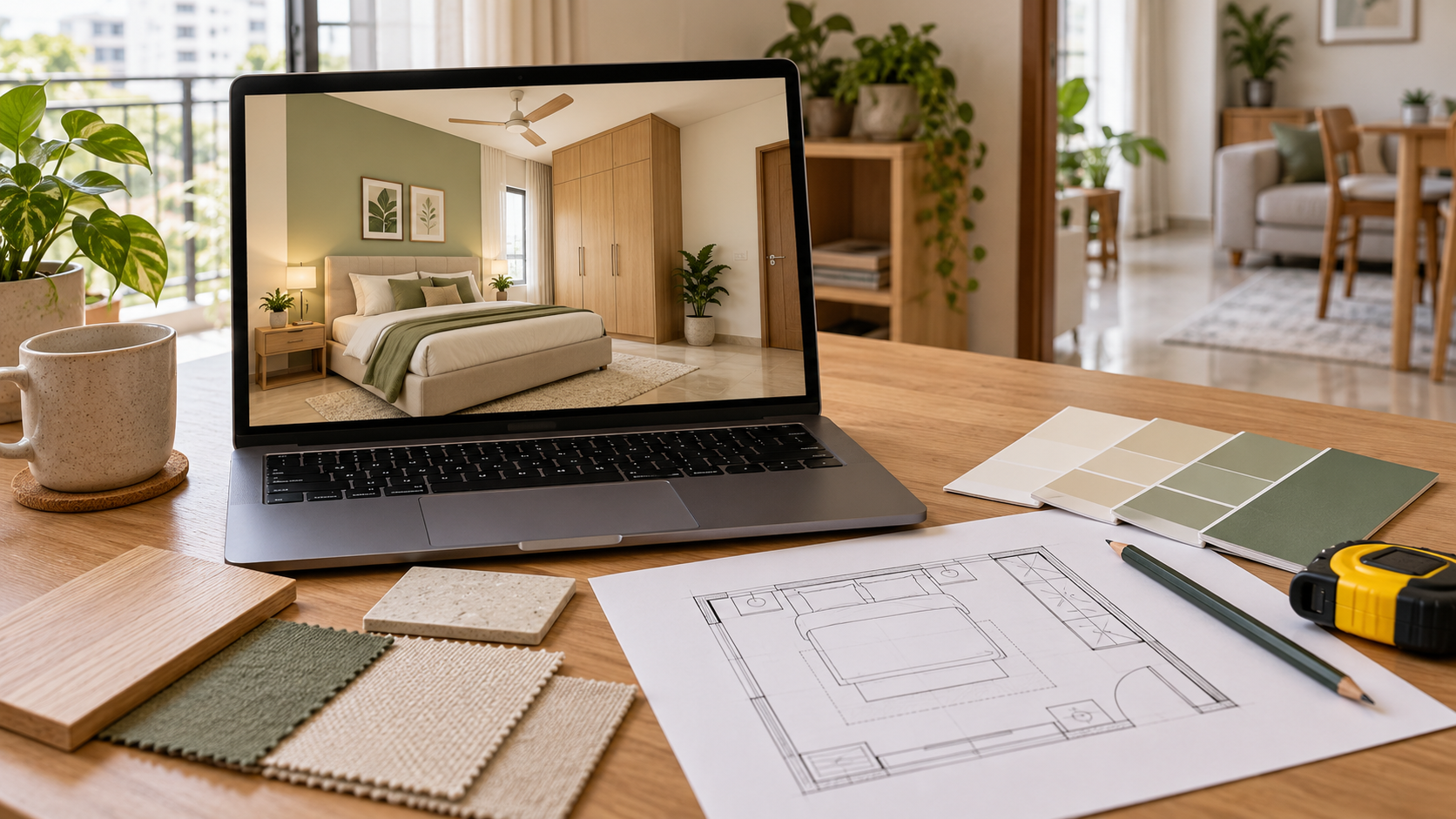
3D Room Visualization: From Measured Layout to Interior Preview
A floor plan helps establish where furniture can fit.
A 3D room visualization shows how the proposed furniture, finishes and lighting may look together.
Use both to review your room before committing to purchases.
What Is 3D Room Visualization?
3D room visualization is a digital representation of a proposed interior, showing its layout, furniture, colours, materials and lighting from selected viewpoints.
It helps you review how individual choices work together. For example, you can assess whether a dark wardrobe dominates a small bedroom or whether the dining furniture feels consistent with the adjoining living area.
The term can describe different deliverables. A single rendered image, an editable room model and an interactive walkthrough are separate outputs. Confirm which one your service provides.
Also ask whether the visualization is built from your measured floor plan or created mainly as a visual concept.
How Is a 3D Visualization Different from a Floor Plan?
A floor plan and a 3D view answer different questions.
| Deliverable | What it helps you understand | What to check |
|---|---|---|
| Measured floor plan | Room dimensions, openings and spatial relationships | Whether measurements reflect the existing apartment |
| Furniture layout | Placement and size of proposed furniture | Movement, access and door or drawer operation |
| 3D room visualization | How furniture, finishes and lighting look together | Whether it follows the approved layout |
| Working drawings | Details needed to make or install specified elements | Whether relevant dimensions and specifications are included |
A rendered wardrobe may look convincing while revealing little about its internal storage, hardware or construction.
Use the visualization to review appearance alongside the drawings and specifications needed for execution.
How Does a Floor Plan Become a 3D Room Visualization?
1. Establish the Room’s Dimensions and Fixed Features
The process starts with understanding the space.
A useful brief includes wall measurements, ceiling height, doors, windows and fixed elements such as columns or beams. Photographs help explain details that may be missing from a basic plan.
Record features that affect furniture placement, including existing electrical points, air-conditioning units and items you intend to retain.
If a measurement is uncertain, flag it. An assumption carried into the model can influence several later decisions.
2. Plan the Furniture Layout
Before choosing finishes, decide how the room needs to function.
For a living room, this means considering seating, television position, storage and walking routes. In a bedroom, it includes bed access, wardrobe operation and space for any dressing or work area.
Use the actual dimensions of retained furniture wherever possible. For new purchases, identify a realistic size range.
A layout should still work when chairs are pulled out, doors are open and people are using the room.
3. Build the Room in Three Dimensions
The layout becomes a digital space with walls, openings, furniture and other proposed elements.
This stage makes height and proportion easier to assess. A tall storage unit may occupy little floor area but have a strong visual presence. A low cabinet may leave more wall visible while providing less storage.
Ask whether furniture shown in the model represents selected products, proposed custom units or generic placeholders. That distinction matters when you move towards purchasing.
4. Apply Colours, Materials and Finishes
The designer adds the proposed visual scheme.
This may include wall paint, flooring, cabinetry finishes, upholstery, curtains and metal accents. Seeing them together helps reveal competing patterns or finishes that feel disconnected.
For easier comparison, keep the room layout consistent while reviewing alternative palettes.
Where a specific product has been selected, record its name or reference separately. An image alone is an unreliable specification.
5. Add Lighting and Select Views
Lighting helps communicate the intended atmosphere of the room.
The visualization may show daylight, ceiling lights, wall lights or lamps. Review whether those proposed fixtures are included in your plan and budget.
The chosen camera angle also affects your impression of the space. Ask for views that help assess important areas, such as the entrance, storage wall or transition into an adjoining room.
A wide view can help explain the design, but dimensions should determine whether furniture fits.
6. Review and Refine the Design
Review the first version against your brief rather than judging only whether it looks attractive.
Useful feedback is specific:
“Please retain our existing two-seater sofa.”
“We need closed storage for documents.”
“The wardrobe finish feels too dark.”
“Please show an option without the wall panelling.”
“The desk needs space for two monitors.” Agree on the layout before spending revision time on smaller decorative choices. Confirm the number and type of revisions included in your service.
What Should You Share with Your Designer?
Clear inputs make the proposed design easier to assess.
| Information to share | Why it matters |
|---|---|
| Floor plan and checked measurements | Establishes the room’s size and shape |
| Photos from several corners | Shows existing features and condition |
| Dimensions of retained furniture | Helps incorporate items you already own |
| Household requirements | Explains how the room will be used |
| Total project budget | Guides furniture and finish choices |
| Reference images with notes | Clarifies which details you like |
| Restrictions on alterations | Identifies what the design must work around |
For reference images, explain the specific appeal. You might like the colours in one photograph and the storage arrangement in another.
Also distinguish the money available for design services from the amount available for furniture, materials and installation.
What Can You Check in a 3D Room Visualization?
Furniture Proportion
Look at how the main pieces relate to the room and to one another.
Does the sofa overwhelm the seating area? Does the bedside furniture feel too bulky? Is the television unit taking over a wall that also needs storage?
Confirm these impressions against the dimensions.
Consistency Across the Room
A visualization helps you assess whether finishes work together.
You might discover that the floor, wardrobe and bed introduce three competing wood tones, or that the accent colour appears in too many places.
Visual Clutter
Decorative shelves, wall treatments and accessories can accumulate during planning.
Review whether each addition serves a purpose. A room may feel more coherent after simplifying one wall or reducing the number of visible finishes.
Fit with Everyday Life
Imagine using the room on an ordinary day.
Where do bags go? Where will devices charge? Is there somewhere to keep books, cleaning supplies or frequently used items?
A polished image becomes more valuable when the design accommodates these routines.
What Does a 3D Room Visualization Not Confirm?
A visualization does not, by itself, establish:
Final site measurements.
Hidden plumbing, wiring or wall conditions.
Cabinet construction and internal fittings.
Product availability or final purchase prices.
Installation requirements.
Exact colours under your home’s actual lighting. Review physical samples where appearance matters, and have the relevant site details checked before fabrication or installation.
For custom furniture, agree on dimensions, materials, finishes, hardware and internal arrangements in writing.
How Can 3D Visualization Help with Budget Planning?
It gives you a proposed design that can be broken into items and priced.
For example, a bedroom image might show a bed, wardrobe, bedside units, curtains, decorative lighting and a feature wall. Each element should have a place in the budget.
Separate the proposal into three groups:
| Priority | Example |
|---|---|
| Essential for daily use | Bed, required storage, practical lighting |
| Worth comparing across specifications | Wardrobe finish, curtain fabric, cabinet hardware |
| Suitable for a later phase | Decorative panelling, extra seating, accessories |
Ask for a revised view if removing an expensive feature changes the overall design significantly.
Visualization can support better decisions, but it does not guarantee savings. Its value depends on using the review stage to resolve choices before committing to purchases and work.
How to Use a Room Visualization When Planning with Houspire
When preparing your brief for Houspire, share the room’s measurements, photographs, budget and furniture you want to retain.
Use the proposed views to discuss the overall look and your priorities. Before ordering a plan, check its current deliverables, including the rooms and viewpoints covered, revision terms and whether any additional drawings are needed.
Keep your approved visual references alongside the specifications and quotations used for execution. Confirm site dimensions before placing custom furniture orders.
Final Thoughts
A useful 3D room visualization connects a measured space with a design you can evaluate.
Start with the layout, review furniture proportions and finishes, and translate the approved look into a clear list of purchases and work. The image becomes most valuable when it supports practical decisions about your home.
Explore Houspire’s design plans to plan your room before committing to furniture and execution.
Frequently Asked Questions
Can a floor plan become a 3D room visualization?
Yes. Checked measurements, ceiling heights, photographs and your requirements help define the model.
Are photographs enough?
Photographs support a visual concept. Measurements are needed for a proposal intended to reflect your actual room.
Is a render a working drawing?
No. A render communicates appearance; working drawings communicate relevant dimensions and construction details.
Will the finished room match exactly?
Actual light, materials, product availability and workmanship affect the result. Review samples and confirm site details before execution.
Does one view show every wall?
No. Confirm the camera angles and areas covered by your selected package.