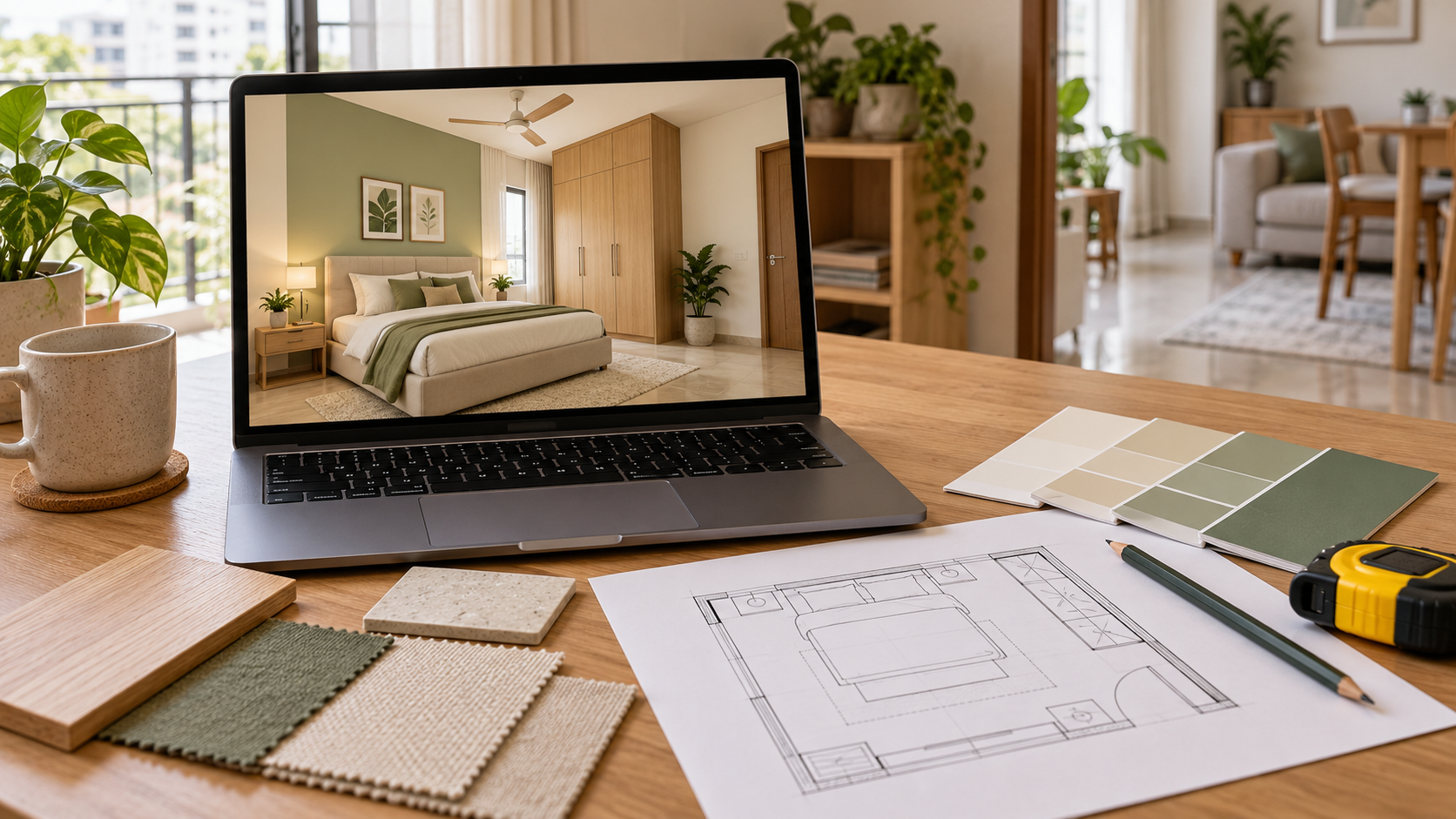
3D Room Visualisation: A Step-by-Step Guide to Planning Your Space
Planning a room involves more than choosing attractive furniture and colours.
You need to understand how the furniture will fit, how the finishes will work together and what information your contractor needs before execution.
3D room visualisation helps you review the proposed appearance before committing to furniture and interior work.
This guide takes you through seven steps, from preparing a brief and measuring the room to checking costs and documenting the approved design.
What Is 3D Room Visualisation?
3D room visualisation is a digital preview of a proposed interior, showing furniture, finishes, colours and lighting from selected viewpoints.
It helps communicate appearance and proportion.
A dimensioned layout establishes furniture placement, while specifications and working drawings provide details for purchasing or fabrication.
Check what your chosen service delivers. A rendered image, an editable model and an interactive walkthrough are different outputs.
Step 1: Define What the Room Needs to Do
Start with your daily routine.
A bedroom might need to accommodate sleeping, dressing and occasional work. A living room may also serve as a dining area or children’s play space.
Write a brief that explains:
- Who uses the room.
- Which activities happen there.
- How many people need seating or workspace.
- What requires storage.
- Which existing items must stay.
- What currently feels inconvenient.
Separate essential needs from optional features.
For example:
Retain our bed, add closed storage and provide space for a laptop.
This gives the designer a more useful starting point than simply asking for a modern bedroom.
Set an overall spending limit at this stage, including furniture and installation, so the proposed design has a practical budget to work within.
Step 2: Measure and Photograph the Space
Create a room sketch with clearly labelled walls, doors and windows.
Record the overall length, width and ceiling height.
Add the positions of fixed features, including columns, beams, electrical points and air-conditioning units.
Photograph each wall and take wider views from several corners.
| Information | Why it matters |
|---|---|
| Wall lengths | Establishes available furniture space |
| Door positions and opening directions | Helps identify access conflicts |
| Window dimensions and sill heights | Affects furniture and curtain placement |
| Fixed projections | Prevents furniture being planned through existing features |
| Existing service points | Helps coordinate lighting and equipment |
| Retained furniture dimensions | Allows realistic placement |
Keep units consistent and mark uncertain measurements.
If a builder’s plan differs from the apartment as built, highlight the differences.
Have final dimensions verified before ordering custom furniture.
Step 3: Resolve the Furniture Layout
Agree on placement before refining colours and decorative details.
Start with the largest or most important pieces:
- Bed
- Sofa
- Wardrobe
- Dining table
- Desk
Use actual product dimensions where available.
Check the Room in Use
Ask:
- Can doors and wardrobe shutters open?
- Is there room to pull out chairs?
- Can drawers operate without hitting nearby furniture?
- Are the main walking routes clear?
- Can you reach frequently used storage?
- Does furniture obstruct windows or switches?
A simple floor plan helps answer these questions.
Where useful, mark furniture footprints on the floor with a suitable removable material.
For a compact bedroom, compare the bed’s complete outer dimensions rather than relying only on mattress size. The frame and headboard may occupy additional space.
Step 4: Choose a Coordinated Colour and Material Scheme
Once the layout is workable, develop the visual direction.
Start with finishes that will remain, such as flooring, doors or existing furniture.
Build the palette around them.
Choose reference images for specific reasons. Explain whether you like the cabinetry colour, curtain treatment, furniture shape or overall simplicity.
An Illustrative Room Palette
| Element | Illustrative choice |
|---|---|
| Walls | Warm off-white |
| Main cabinetry | Light wood finish |
| Upholstery | Beige |
| Accent colour | Muted green |
| Small metal details | Brushed brass |
This is a starting idea, not a formula.
Use the visualisation to assess the combination.
Before purchasing, review physical samples of important finishes under the room’s actual lighting.
Screen settings and rendered lighting can affect how colours appear.
Step 5: Review the 3D Views Against Your Brief
When the first views arrive, look beyond the overall impression.
Compare them with your measurements, approved layout and priority list.
Check whether retained furniture and fixed features are represented correctly.
Review the Proposal in Three Passes
| Review | Question to ask |
|---|---|
| Function | Does the room accommodate the activities and storage you requested? |
| Proportion | Do the furniture sizes relate sensibly to the space and one another? |
| Appearance | Do the colours, materials and decorative elements work together? |
Ask which items are exact product representations and which are placeholders.
A generic chair or light fitting may need to be replaced with an available product.
Check What Is Outside the Camera View
If an unseen wall contains important storage or a doorway, request the relevant layout, elevation or additional view.
Use dimensions to confirm fit. A wide camera angle can change your impression of available space.
Step 6: Refine the Design and Check Its Cost
Give feedback that identifies the problem and the desired change.
Instead of saying the room feels wrong, try:
- “The desk needs room for a monitor and keyboard.”
- “Please retain the existing dining chairs.”
- “We need closed storage instead of these display shelves.”
- “Show a simpler wall finish within our budget.”
Consolidate household feedback before submitting it.
Check the revision allowance in your service agreement.
Turn the Design into a Priced Scope
| Proposed element | Budget check |
|---|---|
| Custom cabinetry | Dimensions, internal fittings, materials and installation |
| Loose furniture | Product sizes, upholstery and delivery |
| Curtains or blinds | Fabric, tracks, lining and fitting |
| Lighting | Fixtures, installation and required wiring changes |
| Wall finishes | Material, preparation and labour |
| Accessories | Quantity and priority |
If the total exceeds your allocation, identify what can be simplified or postponed.
Update the design where those changes affect the room’s appearance or function.
Step 7: Prepare the Approved Design for Execution
Bring the final decisions together before placing orders.
Depending on the scope, you may need:
- A dimensioned layout
- A furniture schedule
- Material references
- Cabinetry drawings
- Relevant service details
Confirm that the drawings, visualisation and quotation describe the same proposal.
Establish Responsibilities Before Work Begins
Confirm:
- Who verifies site measurements.
- Which product models and finishes are approved.
- What remains provisional.
- Who answers contractor questions.
- How substitutions and additional costs are approved.
- Which version of the design is final.
A 3D image alone cannot specify every cabinet joint, internal fitting or electrical connection.
Have the relevant professionals confirm the information needed for their work.
Keep approved documents together and record later changes in writing.
What Should You Have at the End?
The planning process should leave you with clear answers to these questions:
| Question | Where to find the answer |
|---|---|
| Where will furniture go? | Approved layout |
| What should the room look like? | Agreed visualisations and finish references |
| What needs purchasing? | Product and material schedule |
| What must be made? | Relevant drawings and specifications |
| What will it cost? | Itemised quotations and stated allowances |
| Who handles the work? | Agreed execution responsibilities |
Confirm which outputs your design service supplies and which need to come from your vendors.
Preparing Your Room Brief for Houspire
When preparing your Houspire brief, share:
- Measurements
- Photographs
- Retained furniture
- Everyday requirements
- Your overall budget
Explain what you want the visualisation to help you decide.
You might be comparing finishes, reviewing furniture proportions or bringing several style references into one room.
Check the selected plan’s view coverage, revision terms and any additional drawing requirements.
Use the agreed design alongside verified measurements and specifications when discussing execution with your contractor.
Plan the Appearance and the Practical Details Together
A useful 3D room visualisation grows from a clear brief, reliable measurements and a workable layout.
Review the appearance alongside function and cost, then document the details needed to build or furnish the room.
This gives each purchase and execution decision a clearer basis.
Explore Houspire’s design plans to visualise your room before committing to furniture and interior work.
Frequently Asked Questions
Can I plan a room with 3D visualisation using photographs?
Photographs help explain the space, but measurements are also needed to assess furniture fit and placement. Share both wherever possible.
Should I choose furniture before requesting a visualisation?
Identify furniture you will retain and provide its dimensions. For new pieces, agree on suitable sizes during layout planning and confirm exact products before ordering.
How many 3D views do I need?
It depends on the room and the decisions involved. Check whether the selected views show important furniture, openings and storage areas.
Will the finished room look exactly like the image?
The image represents the intended design. Actual lighting, material variation, product substitutions and installation details can affect the result.
Can a carpenter work directly from a 3D image?
The image helps communicate appearance. Fabrication also requires verified dimensions, materials, internal arrangements and relevant construction details.
When should I approve the final design?
Approve it once the layout, main specifications and costs are sufficiently resolved, and the people executing the work have the information they need.