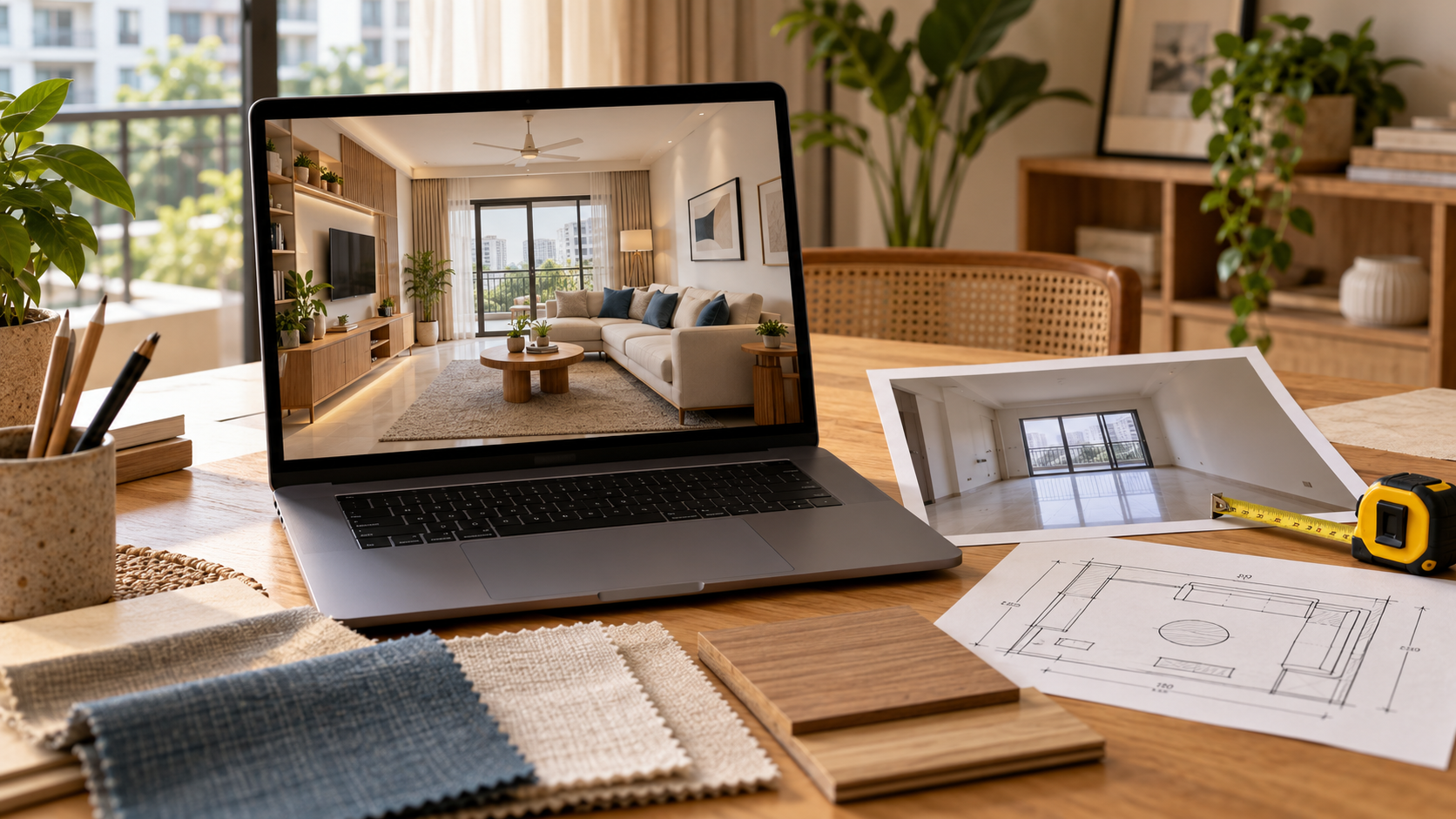
Interior Design AI Tools: How They Work and What to Expect
A photograph of an empty room can be difficult to translate into a finished interior. You may know the style you like without knowing how it will work around your windows, doors and existing furniture.
Interior design AI tools help you explore visual possibilities. They can suggest colours, furniture arrangements and finishes using photographs or written instructions.
However, the output needs careful review. A convincing image does not automatically establish accurate dimensions, product availability or construction feasibility.
This guide explains how these tools work and what to expect before using them to plan your home.
What Is Interior Design AI?
Interior design AI refers to tools that use artificial intelligence to help generate, modify or assess ideas for interior spaces.
The term covers several kinds of tools and services. Some restyle a room photograph, while others work with floor plans or support a designer’s workflow.
| Type of tool or service | Typical purpose | What to verify |
|---|---|---|
| Photo restyling | Suggest a different appearance for an existing room | Whether the structure and openings remain accurate |
| Text-to-image generation | Create an interior concept from a written description | Whether it represents your actual space |
| Layout planning with AI features | Explore furniture arrangements | Measurement accuracy and usable clearances |
| Product visualisation | Preview selected furniture or finishes | Product dimensions, scale and availability |
| Designer-led AI service | Develop proposals with human involvement | Review process, deliverables and technical scope |
Choose according to the decision you need help making, rather than assuming all tools provide the same output.
How Do Interior Design AI Tools Work?
The exact process varies, but many tools follow a similar sequence: you provide inputs, the tool generates a proposal, and you review the result.
1. You Provide the Starting Information
This may include:
- A room photograph
- A floor plan
- Measurements
- A written description
Some tools also ask you to select the room type, preferred style and elements you want to retain.
2. The Tool Generates a Proposal
The system uses your inputs to produce a suggested interior.
In a photo-restyling tool, this may mean changing furniture, colours and finishes within an image. Other tools may use a digital room model or product catalogue.
A photo-based result can look three-dimensional without being built from a measured 3D model.
3. You Review and Refine the Result
You may be able to adjust instructions, change selected areas or generate alternatives.
Check whether the new version improves the design without introducing unwanted changes elsewhere in the room.
What Information Should You Provide?
Clear inputs make the output easier to assess.
| Input | What to include |
|---|---|
| Room photographs | Each wall, corners and important fixed features |
| Measurements | Wall lengths, ceiling height and opening dimensions |
| Retained furniture | Photographs and external dimensions |
| Functional requirements | Sleeping, working, seating, storage or other activities |
| Style preferences | A small set of references with specific likes and dislikes |
| Spending limit | What the budget needs to cover |
| Fixed constraints | Doors, windows, beams and services that must remain |
If a tool does not accept measurements, treat its output as visual inspiration until the arrangement is checked separately.
What Can You Expect from an AI Room Design?
Interior design AI can help you explore how different colours, furniture forms and finishes might work together.
It can also help you describe your preferences more clearly to a designer or contractor.
Comparing two visual directions may reveal that you prefer:
- Simpler cabinetry
- Warmer colours
- Different furniture shapes
- Fewer decorative elements
Judge the output against your brief.
For example, if you requested a study area and accessible storage, an attractive room image that omits both has not resolved your requirements.
What Should You Not Assume About an AI Interior Design?
Review the image’s dimensions, products and technical requirements before using it to make purchases.
That the Room Dimensions Are Accurate
The image may make a wall appear longer or furniture appear smaller than it is.
Check proposed furniture against actual measurements.
That Every Product Exists
A generated chair, light or cabinet may be a visual concept rather than a product available to purchase.
Identify suitable products or obtain a custom quotation before committing to the design.
That the Image Includes Construction Details
A wardrobe image does not necessarily specify:
- Its internal arrangement
- Material thicknesses
- Hardware
- Fabrication details
Custom work may need dimensioned drawings and written specifications.
That the Finished Room Will Look Identical
Physical materials, daylight, product substitutions and workmanship can affect the result.
Review samples and technical details alongside the visual proposal.
How Do You Check an AI-Generated Room Design?
Compare the output with the original room before assessing decorative details.
1. Check the Structure
Confirm that doors, windows, columns and beams remain in the correct positions.
Look for:
- Missing openings
- Altered ceiling heights
- Changed room proportions
- Furniture placed across access routes
2. Check Furniture in Use
Consider how wardrobe shutters, drawers, chairs and storage beds operate.
The room should work when furniture is being used, not only when everything is closed and neatly arranged.
3. Check Everyday Requirements
Review storage, lighting, equipment and seating against your routine.
Make sure retained furniture and essential items have not disappeared from the proposal.
4. Check the Execution Budget
Ask what the proposed design would require you to buy or build.
A visually simple room can still contain extensive custom cabinetry, premium finishes or specialist lighting.
Turn the proposal into a defined scope before requesting execution quotations.
Interior Design AI Tools vs Designer-Led Services
An automated tool can be useful for exploring styles and developing a starting brief.
A designer-led service provides an opportunity to discuss requirements, question the proposal and coordinate decisions within an agreed scope.
| Consideration | Automated tool | Designer-led service |
|---|---|---|
| Brief interpretation | Depends on the tool and your instructions | May include discussion and clarification |
| Design review | Primarily your responsibility unless a review service is included | Human review according to the purchased scope |
| Revisions | Depends on available editing features and usage limits | Depends on the package and revision allowance |
| Technical documentation | Must be checked explicitly | Must also be checked explicitly |
| Site supervision | Do not assume it is included | Included only where agreed |
Neither a tool nor a designer’s involvement removes the need to verify site measurements before fabrication.
How Should You Compare Interior Design AI Prices?
Check what the payment buys.
A subscription may provide a number of image generations or credits. A design service may charge for a room, view or defined package.
Compare:
- Personalisation
- Editing options
- Human review
- Image downloads
- Supporting documents
- Additional-view charges
- Revision allowances
Keep the design expense separate from furniture, materials, labour and installation.
How Can You Use AI Outputs with Your Contractor?
Use the image to explain the intended appearance, then resolve the details needed for execution.
Confirm:
- Dimensions
- Materials
- Finishes
- Hardware
- Product selections
- Relevant working drawings
Ask the contractor to identify anything unclear before quoting or ordering.
If the design requires electrical, plumbing or structural changes, involve the appropriate qualified professional.
Avoid asking a contractor to reproduce an image without checking whether its proportions and details are workable.
Checklist Before Using an AI Design for Execution
Before ordering materials or starting work, confirm that you have:
- Compared the output with the original room.
- Checked doors, windows and fixed features.
- Verified room and furniture dimensions.
- Reviewed furniture in its operating positions.
- Confirmed that everyday requirements are included.
- Identified suitable products or custom specifications.
- Reviewed physical material samples.
- Obtained the required technical documentation.
- Requested an itemised execution quotation.
- Clarified unresolved details with your contractor.
Explore Interior Ideas with a Clear Brief
Interior design AI tools are useful for exploring ideas and making your preferences more visible.
Get the most value by providing clear inputs, checking the output against your actual room and resolving technical details before execution.
Explore Houspire’s design plans and review the selected package’s visualisation, documentation and support before purchasing.
Frequently Asked Questions
Can interior design AI work with a photo of my room?
Many photo-based tools can. Check whether the tool also accepts measurements and instructions about fixed features.
Will it preserve my existing doors and windows?
Do not assume so. State the constraints and compare the output with the original photograph.
Can AI-generated furniture be purchased?
Sometimes a tool uses real products, but generated furniture may also be conceptual. Verify the product, dimensions and availability.
Are AI room images suitable for custom carpentry?
They can communicate appearance. Your carpenter may also need dimensioned drawings, material specifications and hardware details.
Can interior design AI replace a site visit?
An image does not establish hidden conditions or verify measurements. Whether a visit is needed depends on the project and the information available.
Is a realistic AI image the same as a measured 3D model?
No. An image can look three-dimensional without being based on a measured model. Check how the tool or service uses your room dimensions.