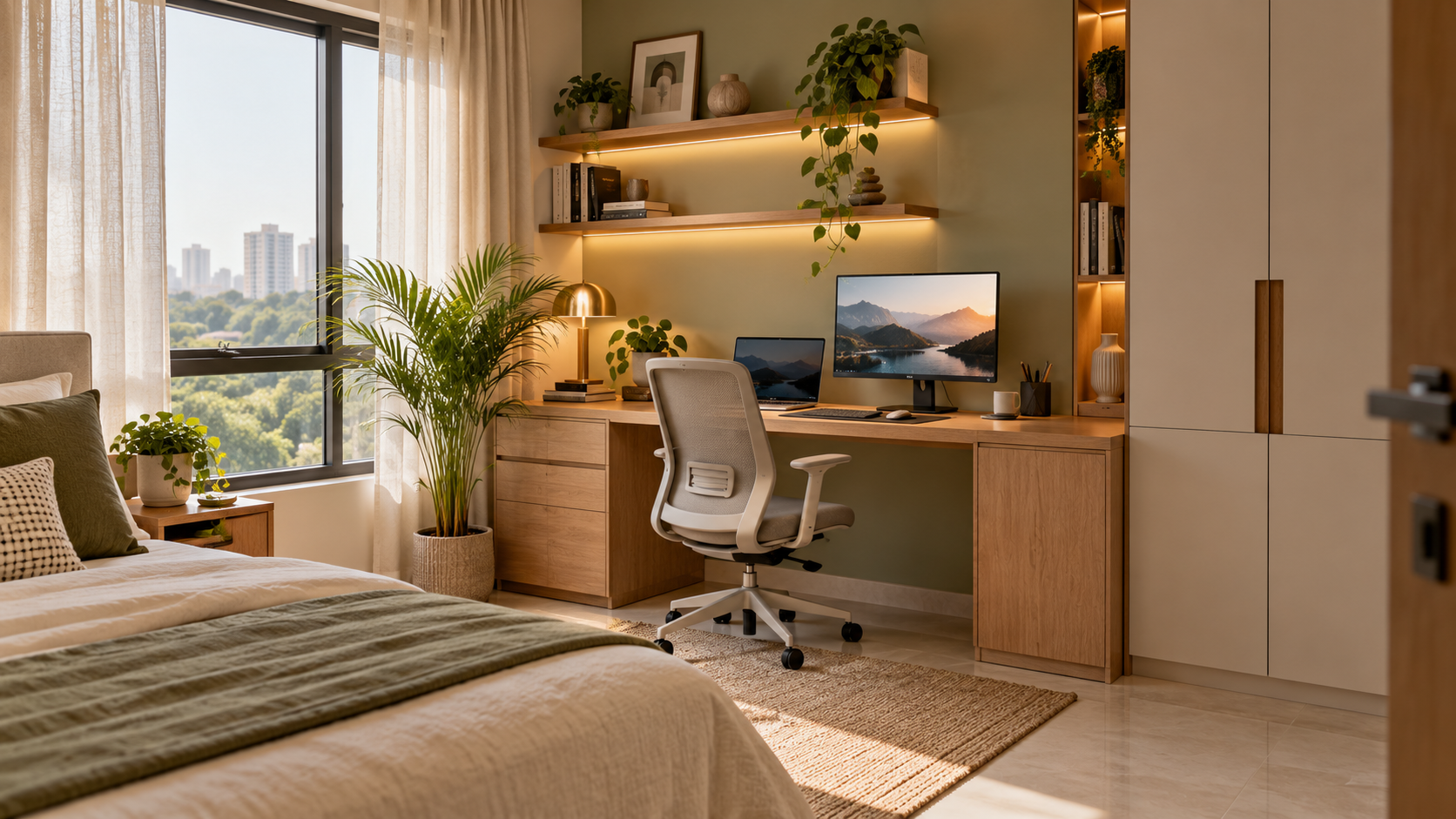
Home Office Design: 25 Research Findings, Dimensions and Space Calculations
A home office needs to accommodate more than a laptop. Screen position, chair adjustment, desk depth and everyday storage all affect how comfortably the space works.
Separate useful evidence from broad claims about productivity or design trends.
This 2026 guide brings together workplace survey findings, ergonomic guidance, published product specifications and calculated space examples. It does not present international research as Indian workforce data or older findings as new 2026 statistics.
Use the figures to develop your brief, then check the fit against your body, equipment and room.
Five Remote-Work Statistics Relevant to Home Office Planning
The following findings come from Pew Research Center’s January 2025 publication, based on a US survey conducted in October 2024. Its analysis primarily covered 2,315 workers with jobs that could be performed from home.
These figures describe working arrangements and preferences, not furniture purchases or Indian household trends.
| No. | Survey finding |
|---|---|
| 1 | 75% of workers with remote-capable jobs worked from home at least some of the time. |
| 2 | 72% of hybrid workers said they would choose a hybrid arrangement. |
| 3 | 24% of hybrid workers said they would choose to work from home all the time. |
| 4 | Among non-self-employed workers with remote-capable jobs who were not working entirely from home, 75% faced an employer requirement for some in-person attendance. |
| 5 | That in-person requirement figure increased from 63% in early 2023—a rise of 12 percentage points. |
These findings suggest a practical design consideration: a recurring home workspace can remain useful even when the homeowner does not work remotely every day. This is a planning inference, not a measured design preference. Pew Research Center
Five Monitor Placement Facts
The following references come from the US Occupational Safety and Health Administration’s workstation guidance. They are ergonomic guidance, not Indian residential building requirements.
6. Preferred viewing distance is generally 50–100 cm
OSHA gives a general eye-to-screen distance of 20–40 inches, approximately 50–100 cm. Adjust placement and text size so you can read comfortably without leaning forward.
7. The screen’s top should be at or slightly below eye level
Measure this from your actual seated position. A shelf that looks aligned with the room may still position the display too high.
8. The screen centre is normally 15–20 degrees below horizontal eye level
This describes a downward viewing angle—not the angle at which the monitor should necessarily be tilted.
9. A secondary screen should not require excessive sideways viewing
OSHA advises that monitors should not sit more than 35 degrees to the left or right. Keep the primary display directly ahead.
10. Positioning the monitor perpendicular to a window can help manage glare
Check reflections throughout the day before fixing the desk position. Window coverings may still be needed. OSHA monitor guidance
Five Chair Measurements and Features to Check
These are OSHA purchasing-guide references. Individual fit matters; the guidance explicitly notes that its criteria may not accommodate every body type.
| No. | Published reference | What to check when buying |
|---|---|---|
| 11 | Seat-height adjustment of 15–22 inches, approximately 381–559 mm | Whether the chair adjusts appropriately for you and your desk |
| 12 | Seat-pan length of 15–17 inches, approximately 381–432 mm | Whether the depth suits your thighs |
| 13 | Recommended seat width of about 18 inches or more, approximately 457 mm | The seat should accommodate the user’s thighs |
| 14 | Armrest adjustment of 7–10.5 inches above the seat, approximately 178–267 mm | Whether armrests support you without interfering with the desk |
| 15 | A sturdy five-legged base and 360-degree swivel | Stability and access to nearby items |
Try the chair where possible. Dimensions alone do not establish comfort, and a label such as “ergonomic” does not explain the available adjustments. OSHA purchasing checklist
Five Published Desk Specifications
For a concrete example available through an Indian retailer, IKEA India lists a MITTZON white/black desk, product number 595.260.34, with the following specifications.
These are product facts, not universal recommendations.
16. Its width is 120 cm
That gives a 1,200 mm-wide footprint. Check your monitor, keyboard, mouse and document requirements against the actual arrangement.
17. Its depth is 80 cm
That is 800 mm from front to back. Desk depth and eye-to-screen distance are different measurements.
18. Its selectable height range is 65–85 cm
The listed range is 650–850 mm. This particular model requires leg reassembly to change height; it is not an electric sit–stand desk.
19. Its listed maximum load is 50 kg
Account for equipment and accessories, and follow the manufacturer’s loading instructions.
20. Its displayed price was ₹17,990, including taxes
The listing explicitly excluded delivery and assembly charges when checked on 21 October 2026. Confirm the current amount and delivery availability for your location. IKEA MITTZON specifications
Five Space Calculations for Your Home Office
These examples are arithmetic, not measured market averages or minimum clearance standards.
21. A 120 × 60 cm desktop has an area of 0.72 sq m
1.20 × 0.60 = 0.72 sq m.
This is the nominal desktop area. Equipment, supports and accessories reduce the surface available for other tasks.
22. A 120 × 80 cm desktop has an area of 0.96 sq m
1.20 × 0.80 = 0.96 sq m.
Compared with the previous example, it provides 0.24 sq m—or approximately 33%—more surface area.
23. An idealised 27-inch, 16:9 screen is approximately 59.8 cm wide
The diagonal size does not tell you the width directly. This calculation covers the display rectangle; the monitor housing and stand add to its overall dimensions.
24. Two such screens side by side span approximately 119.6 cm
That is before allowing for bezels, a gap or their supports.
A nominally 120 cm-wide desk therefore leaves little width beyond the two display rectangles. Angled placement changes the footprint, so check the actual equipment.
25. A 120 × 80 cm desk plus an illustrative 90 cm-deep chair zone occupies a 2.04 sq m rectangle
1.20 × (0.80 + 0.90) = 2.04 sq m.
The 90 cm allowance is an example, not a universal minimum. Test chair movement and add any necessary passage space behind the user.
What These Figures Mean for Your Home Office Design
The useful starting point is your working arrangement.
A laptop-only setup has different requirements from a workstation with two displays, a drawing tablet and paper documents. A desk in a bedroom also needs to coexist with wardrobe doors, bed access and daily movement.
Before ordering furniture:
- List the equipment you use.
- Record its full dimensions, including stands.
- Test the arrangement at a comfortable working position.
- Check chair movement and access around the desk.
- Identify power, cable and storage requirements. A desk that fits against a wall may still be too small for the way you work.
Practical Design Choices for a Shared Room
Make Storage Match the Work
Decide what needs to stay within reach and what can be stored elsewhere.
Files, stationery and equipment can use different storage arrangements. Avoid filling the space under the desk with cabinets before checking legroom.
Plan the Video-Call Background
Check the camera view before adding decorative shelving.
A simple wall or organised storage unit may be sufficient. Consider household privacy and whether someone regularly needs to walk behind the chair.
Coordinate Daylight and Task Lighting
Observe glare and shadows at your usual working times.
Plan lighting around reading, writing and screen use rather than selecting fittings purely for appearance.
Keep Cables Accessible
Identify outlets and cable routes before finalising fitted furniture.
Allow access to plugs and equipment connections, and have additional electrical work assessed by the appropriate professional.
What Should Your Home Office Budget Include?
A desk price is only one part of the setup.
| Category | Items to include |
|---|---|
| Furniture | Desk, chair and required storage |
| Equipment support | Monitor stands or compatible arms, where needed |
| Lighting | Fixtures and installation |
| Electrical work | Necessary points and cable arrangements |
| Window treatment | Glare and privacy control |
| Logistics | Delivery and assembly |
| Design | Agreed planning services and documentation |
Prioritise fit, useful adjustment and adequate working space before decorative additions. Avoid treating any furniture purchase as a guaranteed productivity improvement.
Planning a Home Office with Houspire
For a Houspire brief, share room photographs, measurements and details of your equipment.
Explain whether the workspace is used daily, shared between people or combined with a bedroom or living area. Include furniture you intend to retain.
Review the selected package’s deliverables and confirm whether additional dimensioned layouts or custom furniture details are needed before execution.
Final Thoughts
A well-planned home office starts with the user and equipment, then develops around the room.
Use survey findings for context, ergonomic references as guidance and product dimensions to test the layout. Confirm the actual fit before purchasing or fabricating furniture.
Explore Houspire’s design plans to plan a workspace around your home and routine.
Frequently Asked Questions
Is there one ideal desk size?
No. Test your equipment, comfortable working position and room access together.
Are the survey figures Indian workforce data?
No. The cited Pew research concerns US workers and is dated separately from this guide.
Does height-adjustable always mean sit–stand?
No. Check the adjustment mechanism and range. The cited MITTZON model has height selected during assembly.
Are the chair and monitor figures universal requirements?
No. They are general references. Individual fit, vision, equipment and tasks can require a different arrangement.
Official sources checked on 21 October 2026. Confirm current product specifications and prices before purchasing.